Flight Operations recognises the run and moves your internal standing.
MESSAGE RECEIVED · 00:04Career companion for MSFS 2020/2024 & X-Plane 12
Pilot Journey. A living career for Microsoft Flight Simulator and X-Plane 12.
Your next flight should change everything.
Pilot Journey runs beside MSFS or X-Plane 12 and reacts to your operations with airline messages, live news, reputation and decisions that follow you into the next leg.
Available now€30 one-timeNo subscription
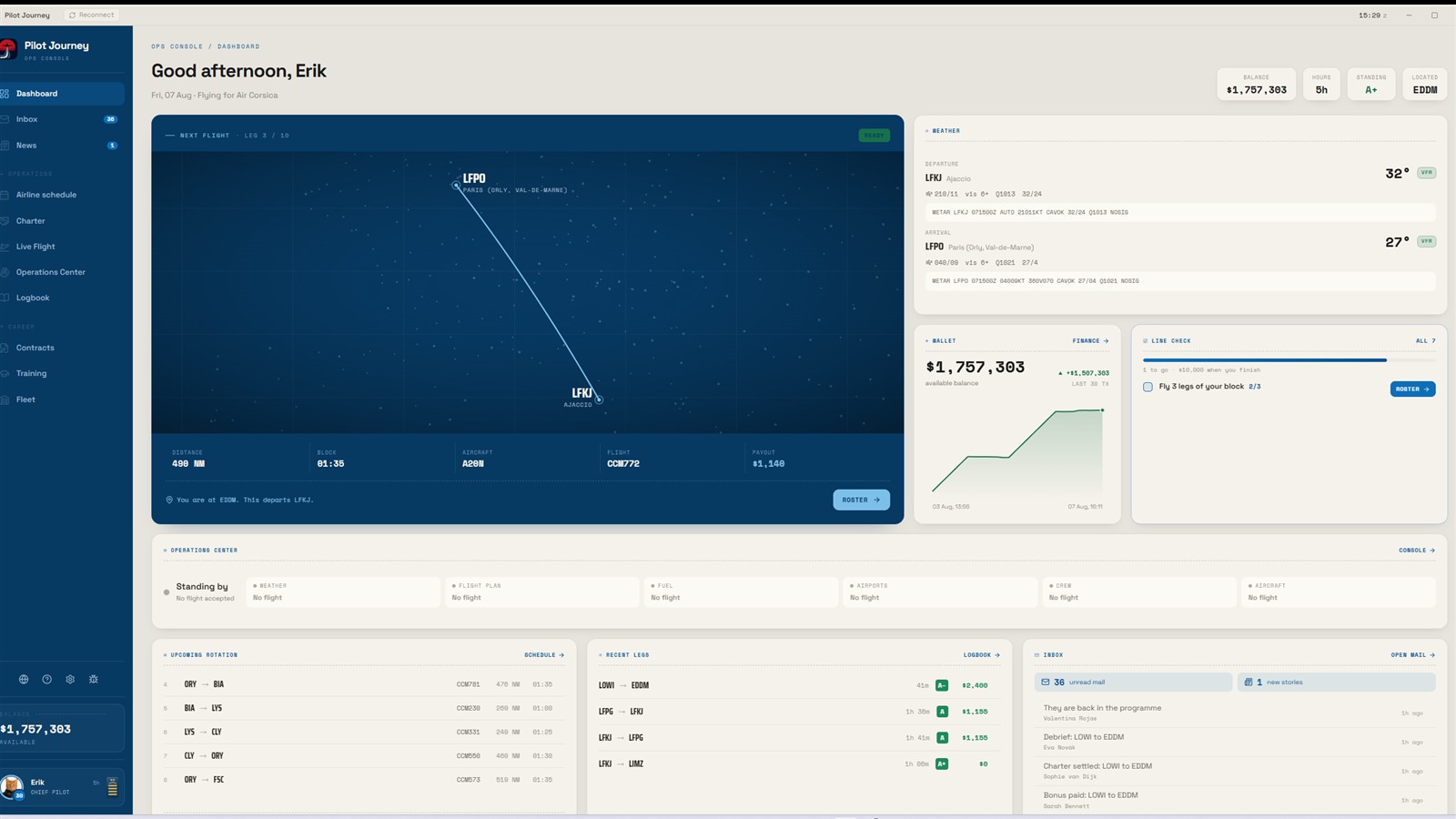
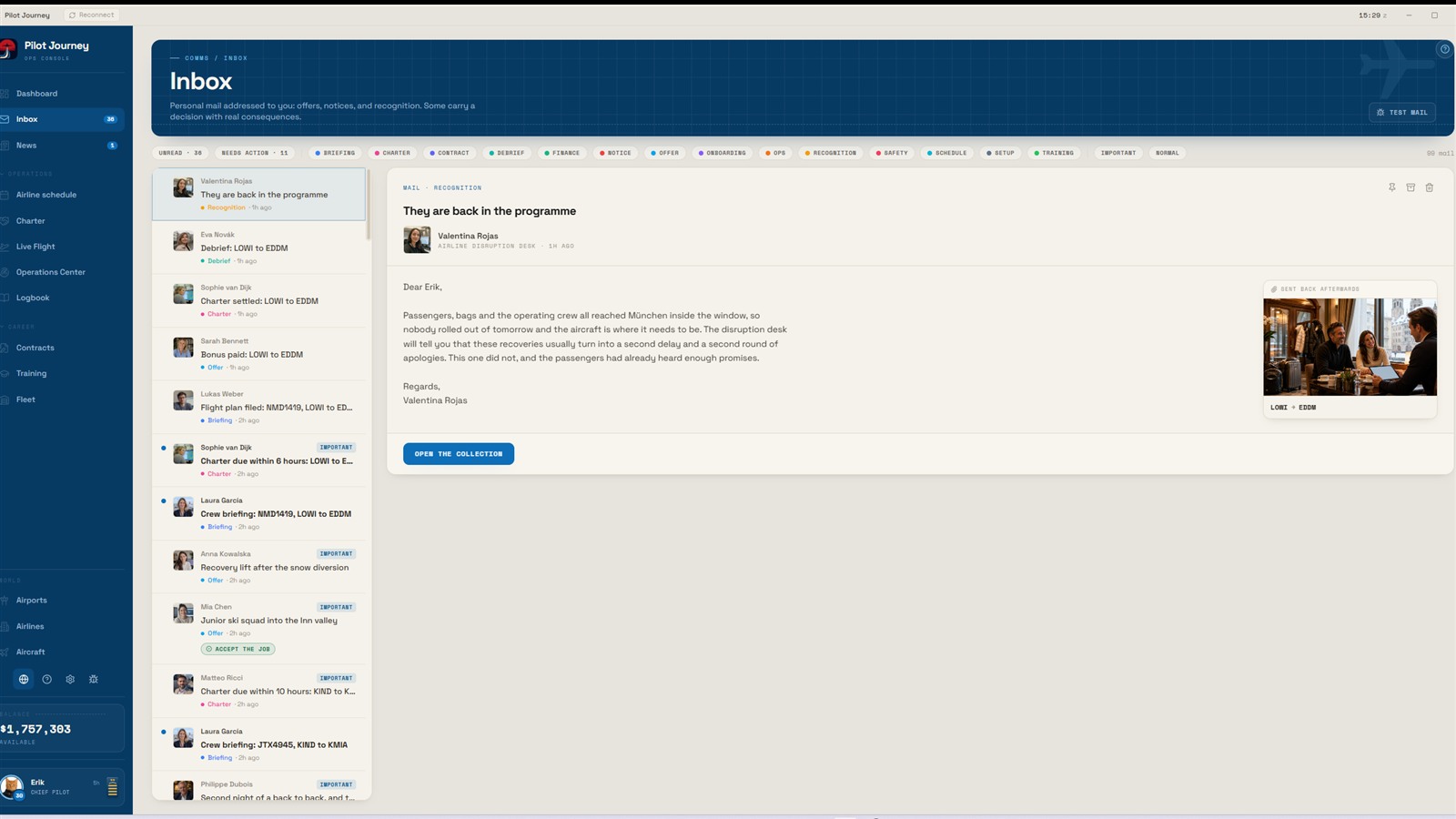
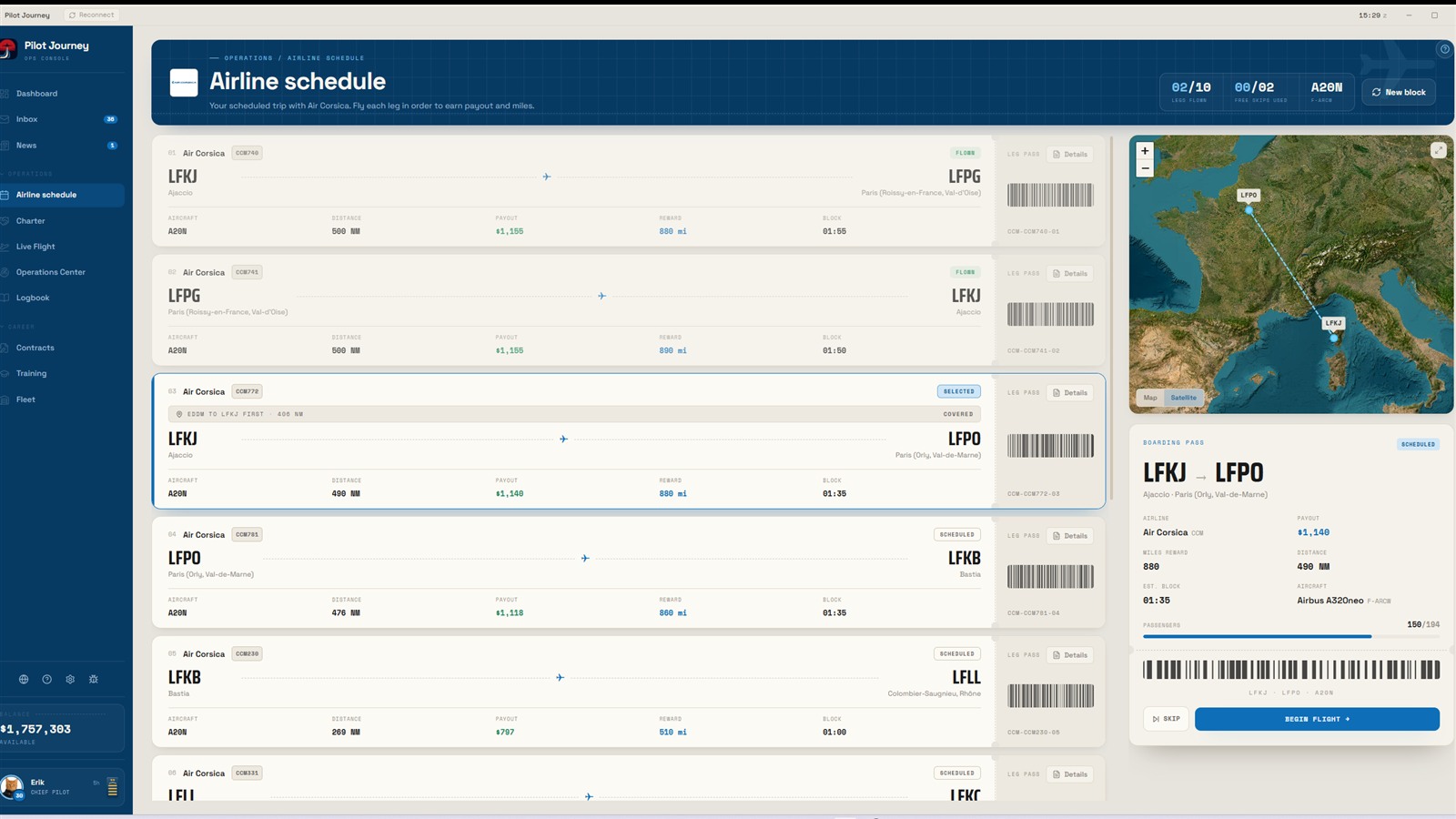
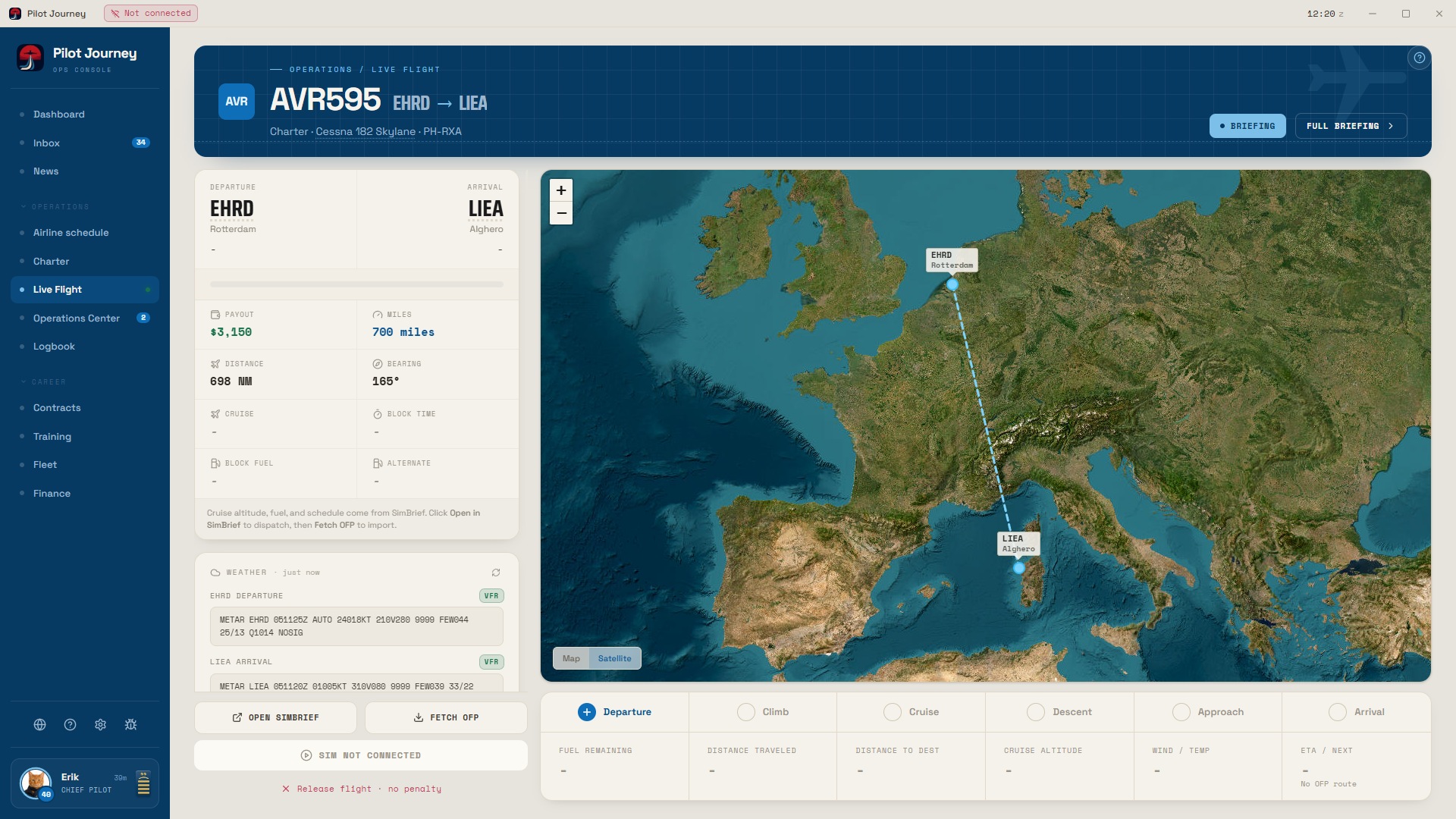
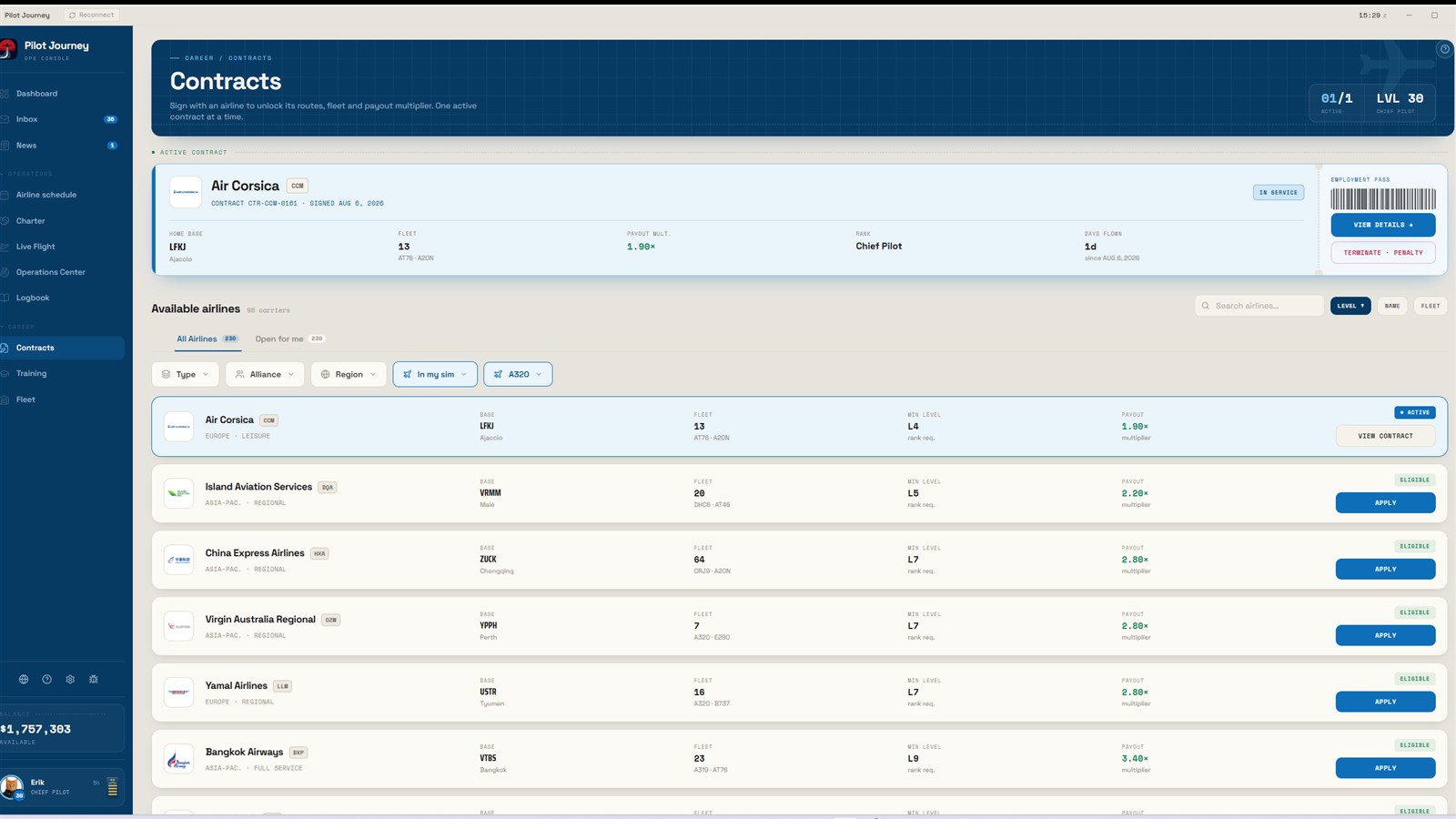
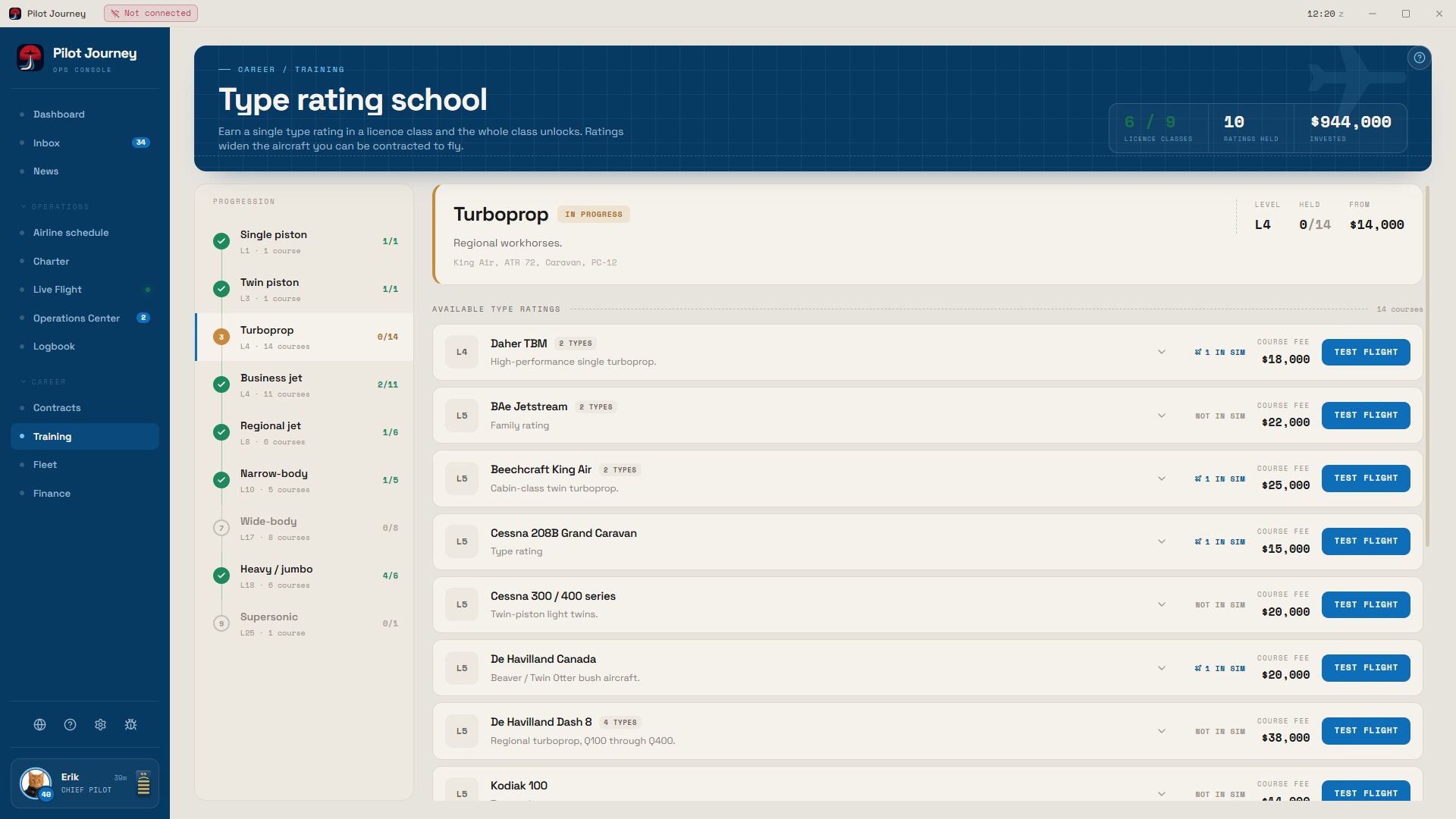
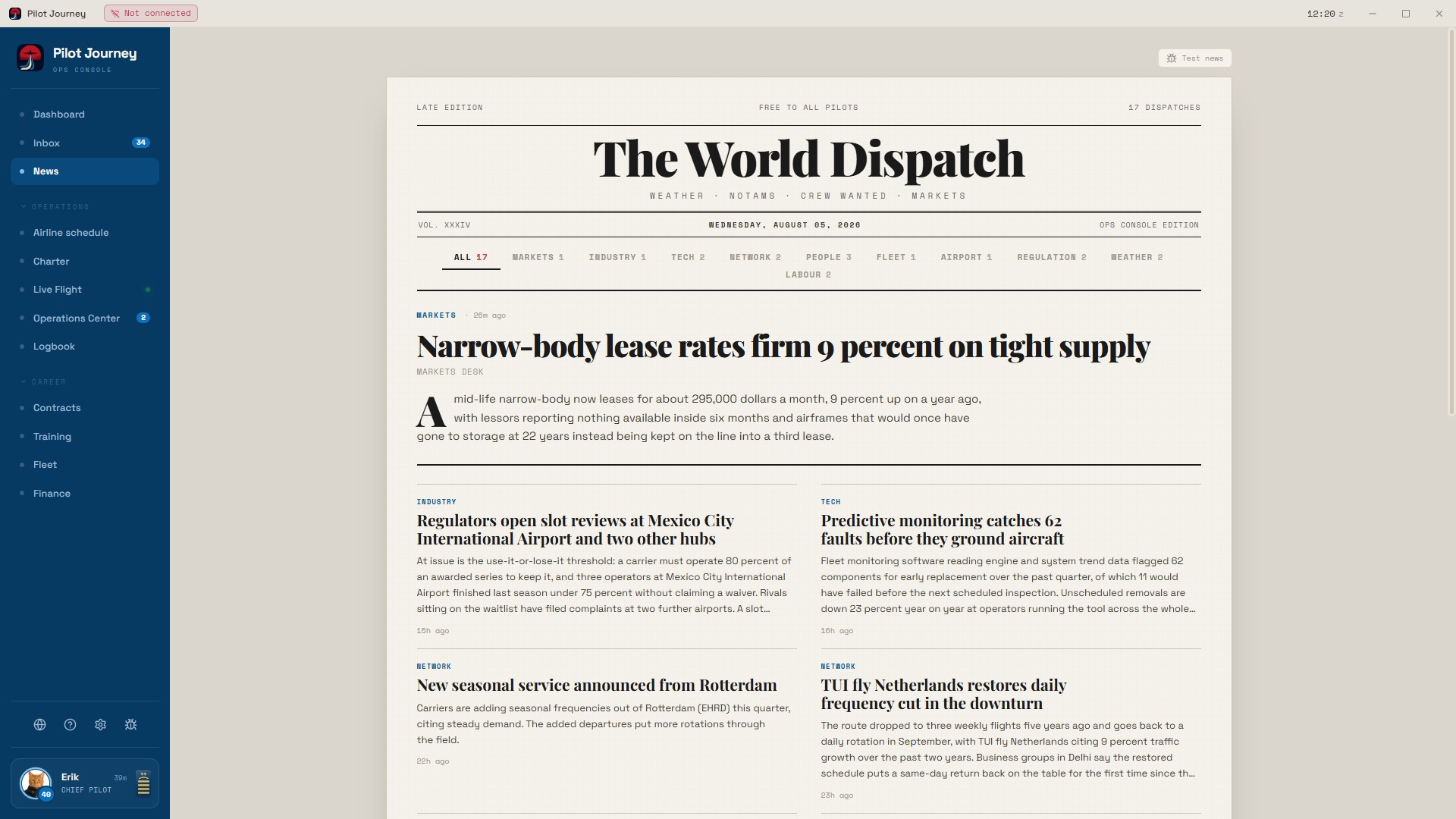
THE WORLD IS ALREADY LOADEDOne career. Global scale.
9,685airports
231airline profiles
158aircraft variants
REAL PRODUCTCaptured in the current build
PILOT JOURNEY / OFFICIAL TRAILEREvery flight
Every flight
leaves a mark.
Step into a career that keeps moving after the engines shut down. Watch the official Pilot Journey trailer in full.

MSFS 2020 + 2024 A LIVING AIRLINE CAREERWatch on YouTube
A living career
The flight ends.
The story doesn’t.
Most career tools record what happened. Pilot Journey decides what it means. One result can reshape your reputation, trigger an airline response and put a real choice on your desk.
IN-GAME EXAMPLE / CAREER REACTION 021 SEQUENCE LIVE
FLIGHT POSTED
LIRFVLG3342 · 466 NMLGZA
FLIGHT SCORE92
TOUCHDOWN−178 fpm
ON TIME+06 min
FOQACLEAN
Your performance becomes part of the living industry feed.
ARTICLE FILED · 00:09A new route network opens, but leaving your current base carries a cost.
REVIEW OFFER48H
Your airline knows you.
Dispatch, safety, training and crew planning send messages tied to your actual career state.
Your performance becomes news.
The World Dispatch turns results, markets and airline events into a world worth checking after shutdown.
Your decisions survive the session.
Contracts, ratings, bonds, finances and reputation remain connected in one continuous history.
The operation loop
Choose here. Fly in your sim.
Come back to consequences.
Pilot Journey never asks you to stop being a simulator pilot. It gives the simulator flight a purpose before takeoff and a future after landing.
- 01
Choose
Pick a global charter contract or report for the next leg in your airline rotation.
BOARD OPEN - 02
Brief
Review the route, METAR, aircraft, schedule, payout, distance and operational details.
ASSIGNED - 03
Dispatch
Open SimBrief and fetch the OFP for fuel, times, cruise level and the filed route.
OFP FILED - 04
Fly
Fly in MSFS while Pilot Journey records live telemetry, progress and operational events.
AIRBORNE - 05
Debrief
Receive a score for landing quality, punctuality and FOQA discipline.
SCORED - 06
Progress
Bank the payout and miles, move your reputation and work toward the next rating or airline.
RECORDED
More than a mission generator
Build the pilot.
Not just the logbook.
Start in general aviation or step into an airline-ready path. Your ratings, contracts, training bonds, finances and reputation determine what opens next.
PILOT JOURNEY / FLIGHT CREW LICENCECLASS ATPL(A)
P
CAREER PROFILEDEMO PILOTFIRST OFFICER · LEVEL 14
REPUTATIONB
BASEEHAM
AIRLINECONTRACTED
HOURS184.6
RATINGS7
CADETFIRST OFFICERCAPTAINCHIEF PILOT
Why choose Pilot Journey?
Your flight changes what happens next.
Pilot Journey connects the assignment, live operation and debrief to airline messages, reputation and the next opportunity. It is a career that remembers the pilot behind the logbook.
Compare the leading career appsYour cockpit. Your setup.
Full telemetry where possible.
Honest limits everywhere.
Fly with MSFS on a Windows simulator PC or X-Plane 12 on Windows or Mac. Bridge supports both simulators.
FULL EXPERIENCE
WIN / DIRECTWindows + MSFS
Run Pilot Journey beside MSFS 2020 or 2024 with direct SimConnect telemetry.
- Live route and flight phase
- Automatic scoring and FOQA
- Fuel, touchdown and auto-completion
FULL EXPERIENCE
BRIDGE / NETWORKMac or second PC
Keep the career console off the simulator PC and relay telemetry through Pilot Journey Bridge.
- Windows simulator PC required
- Local network connection
- Same live career features
FULL EXPERIENCE
X-PLANE / SAME COMPUTERX-Plane 12
Connect X-Plane 12.1.1+ directly through its web interface, or use Pilot Journey Bridge.
- Windows or macOS 13+
- Built-in X-Plane web interface
- No Bridge needed
Need the exact setup path or recovery details?Open compatibility briefing
Download / Current release
Choose your Pilot Journey installer.
Download the app for the computer running your career console. New versions arrive through the built in updater.
Using MSFS with Pilot Journey on a Mac or second Windows PC?
Bridge setupBridge supports MSFS and X-Plane. For MSFS, install it on the Windows simulator PC. X-Plane can also connect directly through its web interface.
DOWNLOAD MANIFEST / PJ-001READY
CURRENT RELEASELATESTautomatic updates included
FROMAPPchoose your platform
······ ✈ ······TOCAREERinstall and activate
✓ Windows x64✓ Mac Apple Silicon✓ Mac Intel✓ Automatic updates
DOWNLOADSAVAILABLE NOWSTATUS / READY
Buy Pilot Journey · €30One time · no subscription
No vague flight plan
The questions that decide the purchase.
Clear compatibility, honest console limits and a one-time licence. No hidden holding pattern.
Open the full support deskIs Pilot Journey a flight simulator?
No. Pilot Journey is a career companion that runs beside Microsoft Flight Simulator or X-Plane 12. You keep flying in your simulator; Pilot Journey builds the assignments, messages, reputation, finances and career consequences around each flight.
Which simulator versions are supported?
Microsoft Flight Simulator 2020 and 2024 support live tracking on a Windows simulator PC. X-Plane 12.1.1 or newer is supported on Windows and Mac, with a direct web-interface connection or Pilot Journey Bridge.
Can I use Pilot Journey with Xbox or PlayStation 5?
Not in the current version. Xbox and PlayStation 5 support is planned for a future update. Current supported setups are MSFS 2020/2024 on a Windows simulator PC, or X-Plane 12.1.1+ on Windows or Mac. Bridge supports both simulators.
Can the career console run on another computer?
Yes. A same-PC Windows setup connects directly through SimConnect. The Pilot Journey Bridge lets a second Windows PC or a macOS career console receive telemetry from the Windows simulator PC over your local network.
Is SimBrief required?
No. SimBrief is optional. Connecting it adds your OFP, filed route, schedule, cruise level, fuel figures and alternate to the operation briefing.
What happens if MSFS disconnects or crashes?
Live telemetry pauses while the simulator connection is unavailable. Reconnect from Sim & telemetry when possible. The active flight is stored on disk, so reopening Pilot Journey after a crash returns you to the same active-flight state; the full recovery flow is documented in Support.
Where is my career saved?
Your career is persistent on the career-console computer, so logbook, reputation, finances, ratings and contracts continue between simulator sessions. Pilot Journey also keeps rotating automatic backups; Settings lets you create or restore a career backup, while Logbook can export CSV or JSON.
Is Pilot Journey a subscription?
No. Pilot Journey is a one-time €30 licence with two personal-computer activations. There is no recurring subscription.